v1.0.0 · Open Source · Apache 2.0

Wind turbine simulation,
made simplified.

FlowUrja Studio is a free, native desktop GUI for OpenFAST and TurbSim. Generate turbulent wind fields, run aeroelastic simulations, and analyse results — all without touching the command line.

Download for macOS Download for Windows
Free & open source · Apple Silicon · Windows 10/11 ·
4 Reference turbines
v4.2.0 Bundled OpenFAST
v4.2.0 Bundled TurbSim
Apache 2.0 License
Workflow

From wind field to results in one app.

A complete simulation workflow without switching tools or writing scripts.

u-component −σ
1

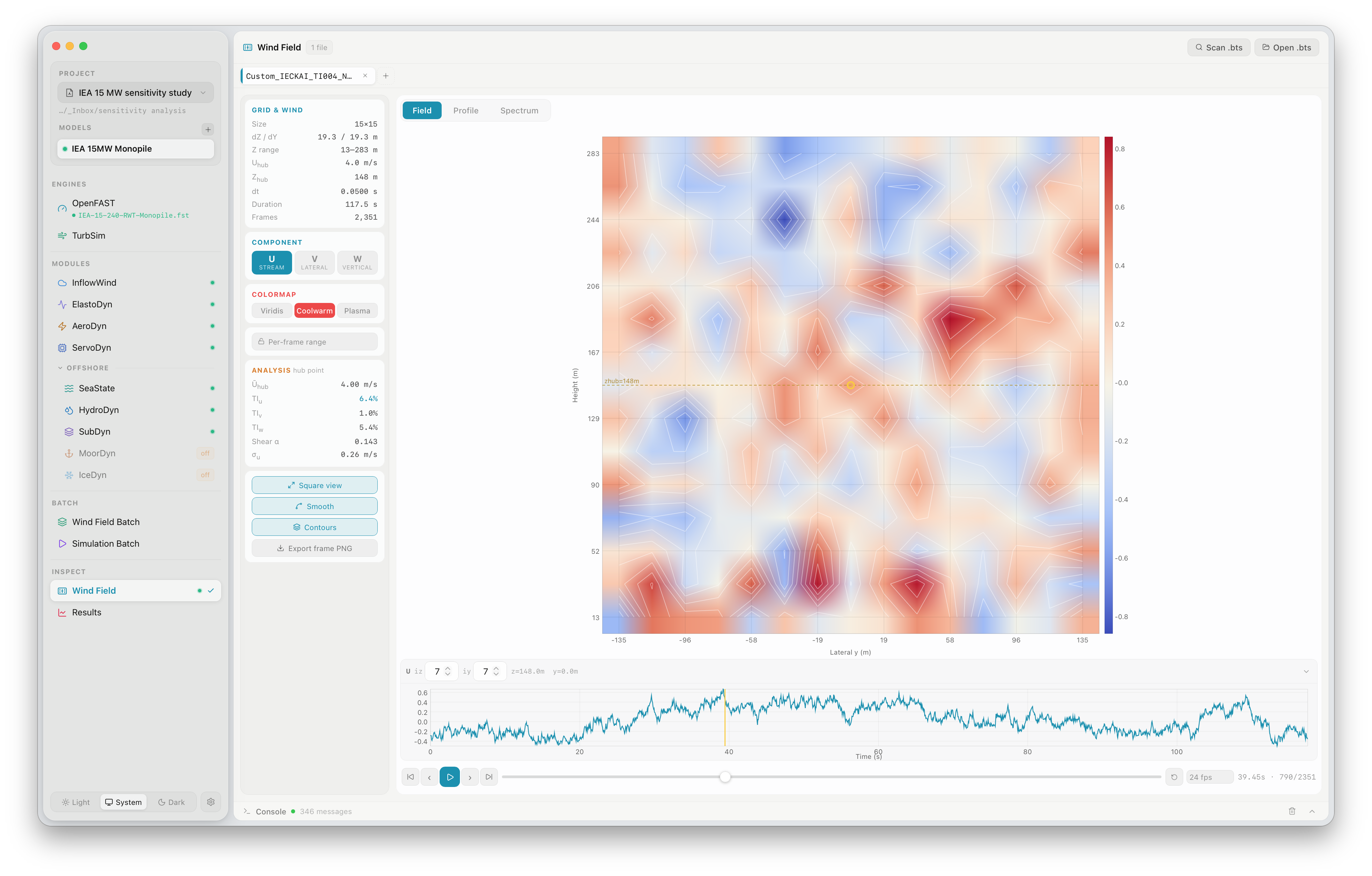
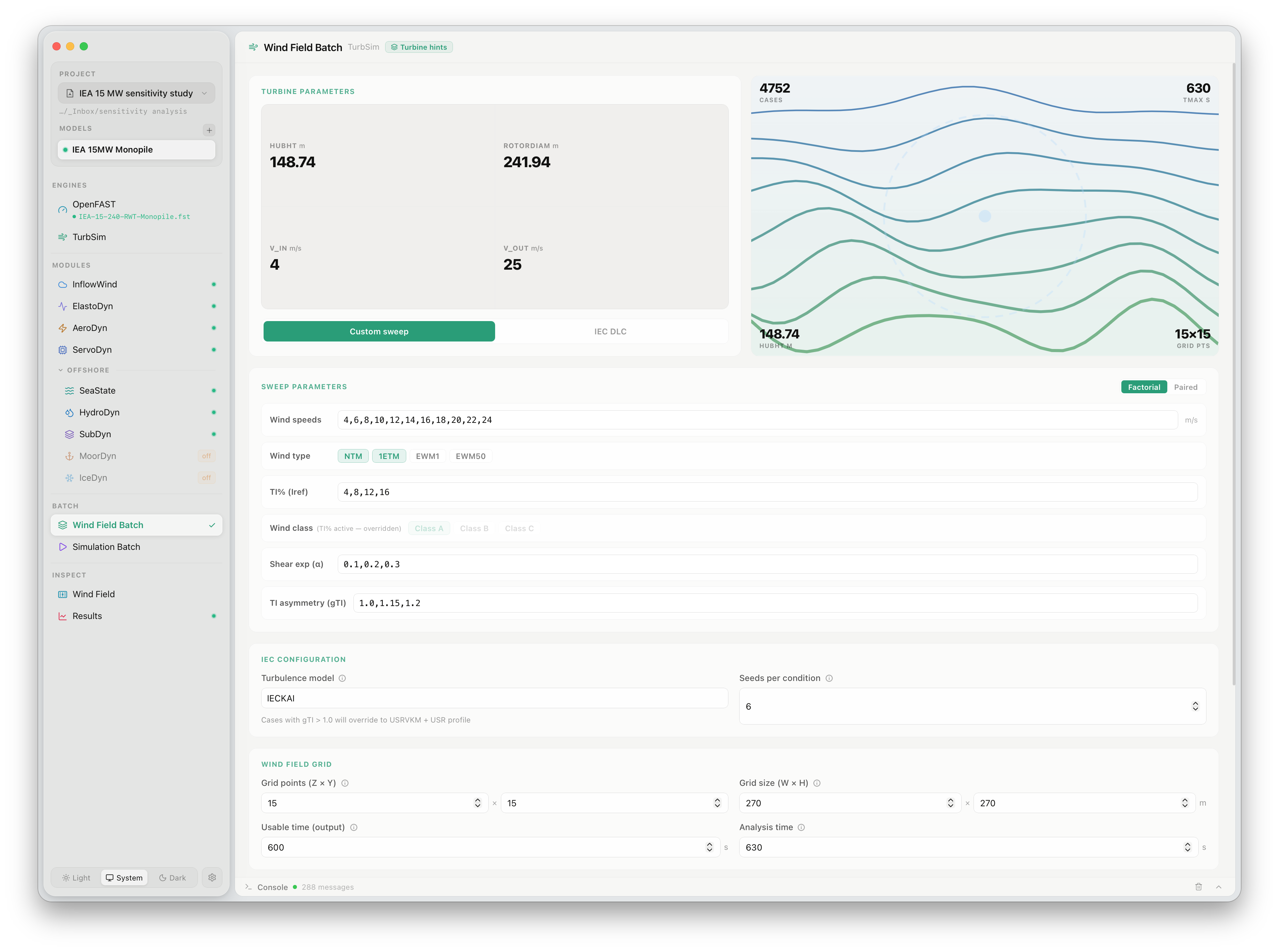
Generate wind fields

Configure TurbSim parameters — wind speed, turbulence class, shear exponent, grid resolution — and generate IEC-compliant binary wind fields. Run batch sweeps across many conditions simultaneously.

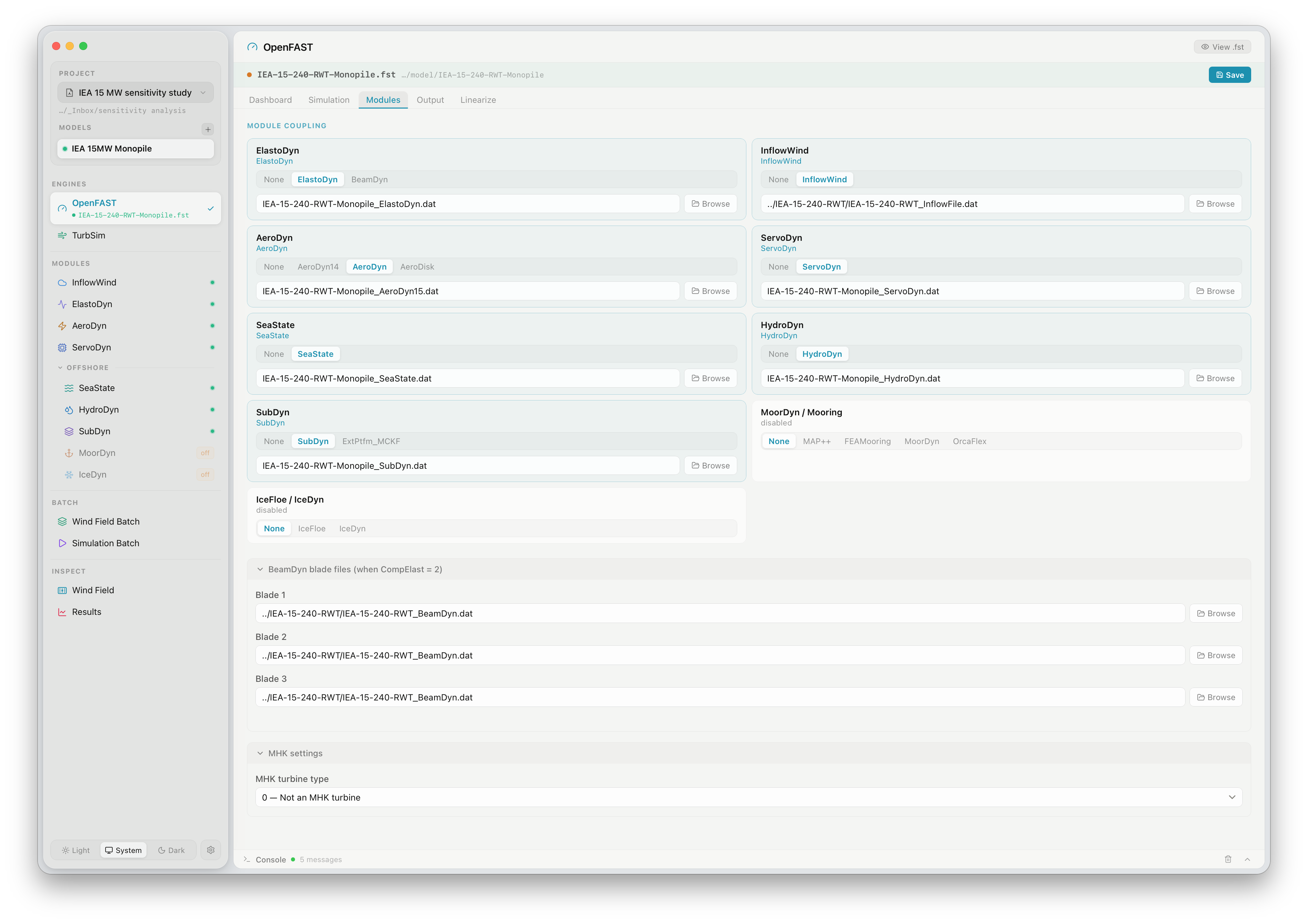
InflowWind AeroDyn ElastoDyn ServoDyn Run simulation
2

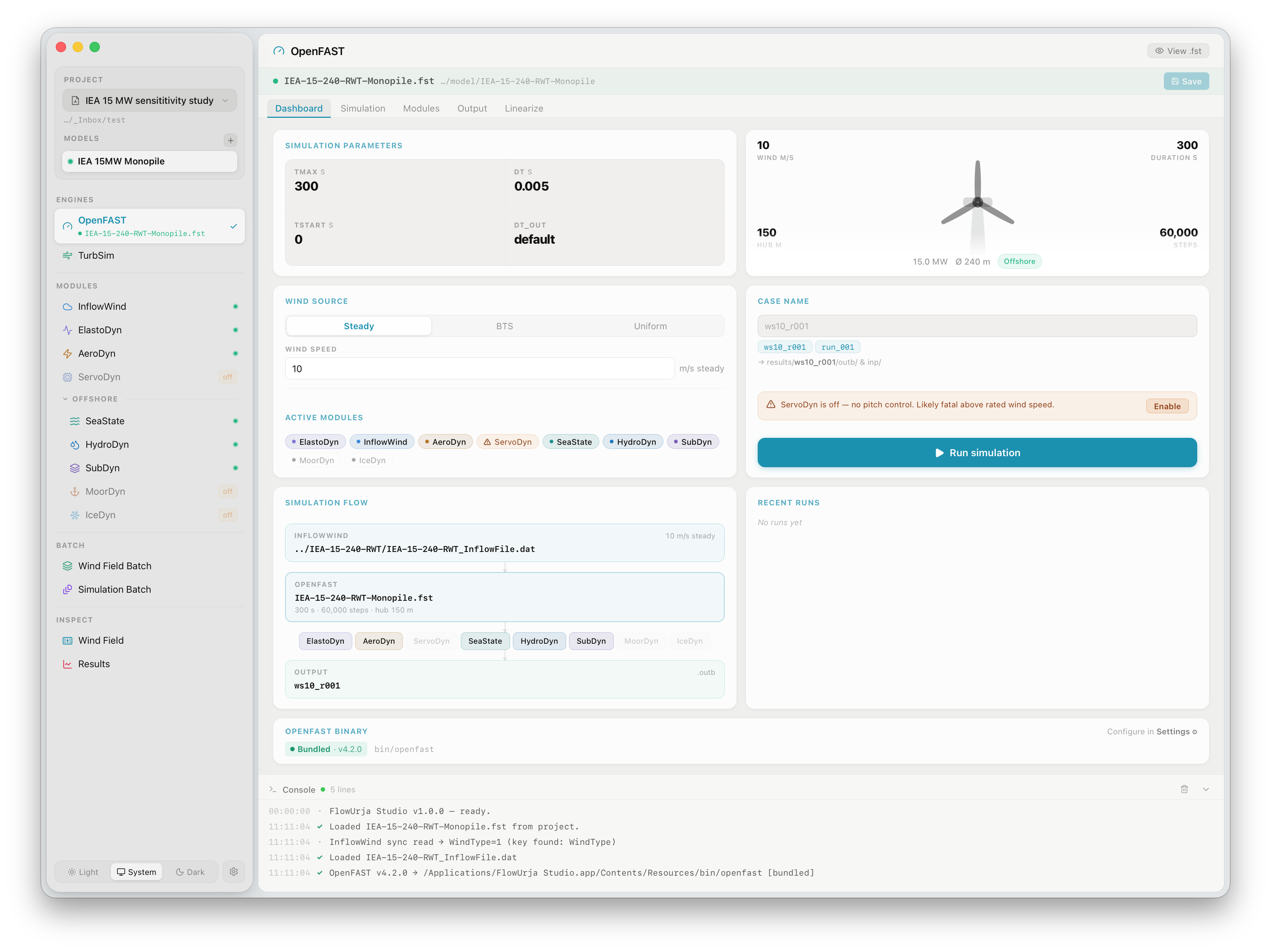
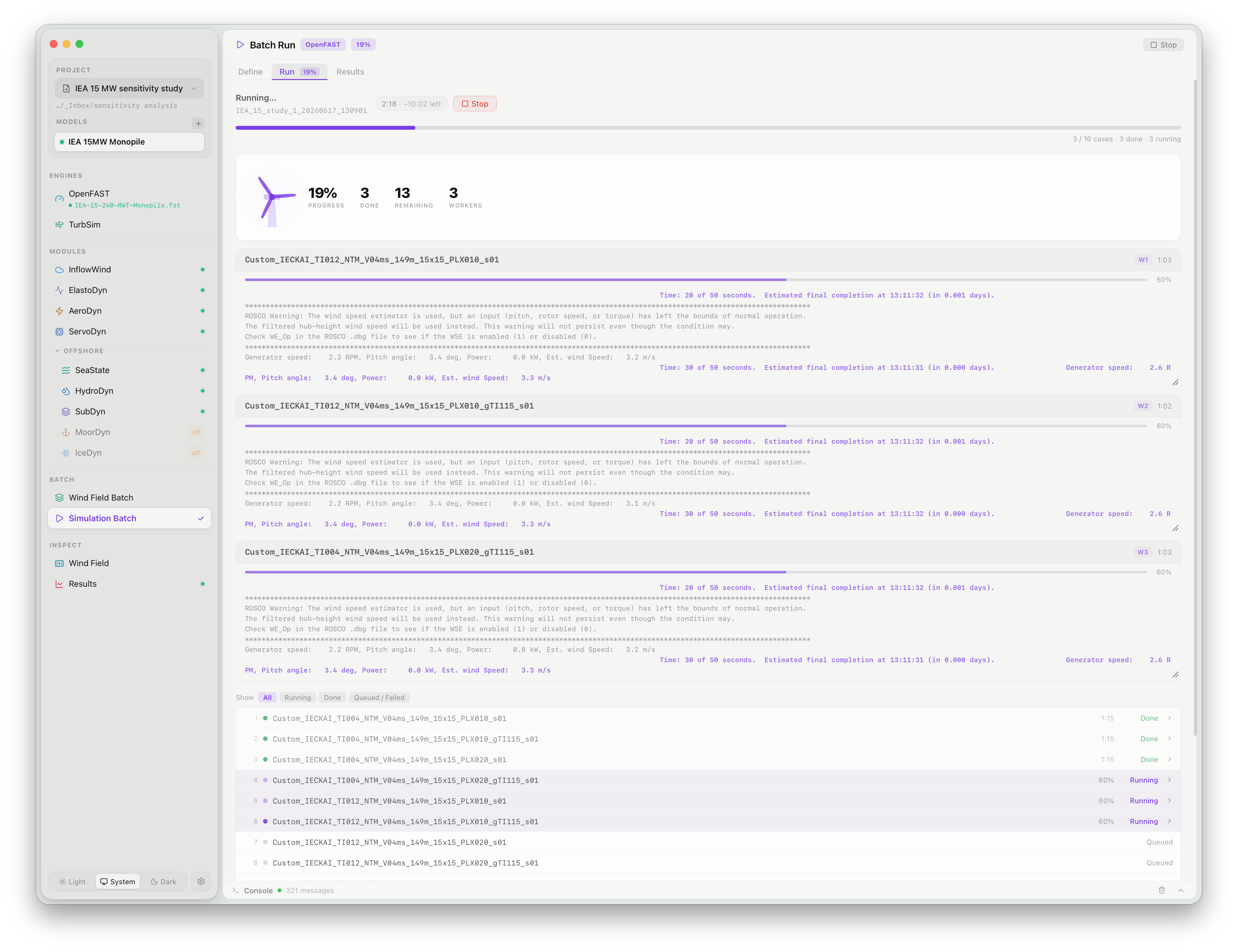
Configure & run simulations

Set up OpenFAST with a guided module interface. Configure InflowWind, AeroDyn, ElastoDyn, ServoDyn, and offshore modules. Run single cases or launch a full simulation matrix in parallel.

Time (s) Load Case 1 Case 2
3

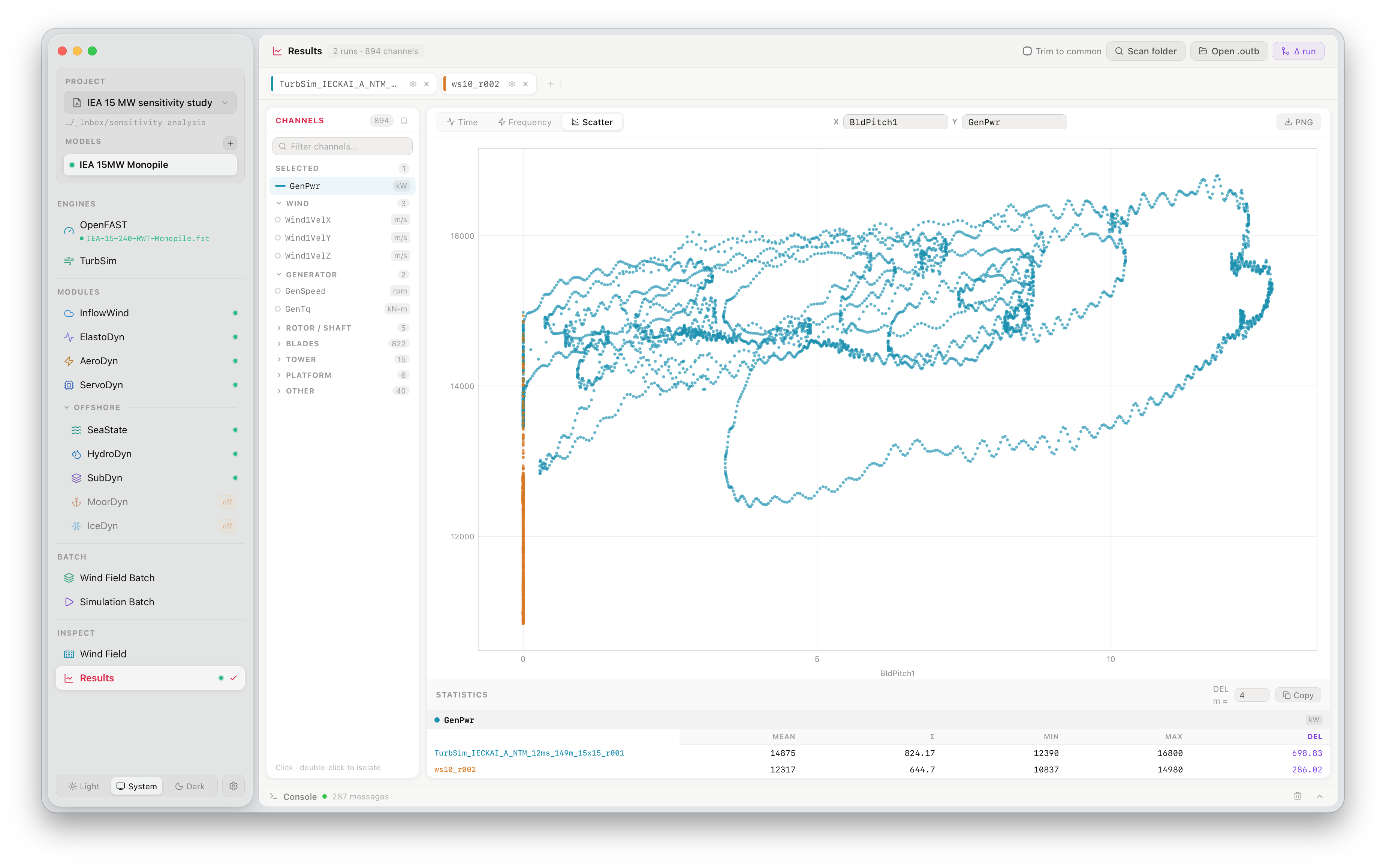
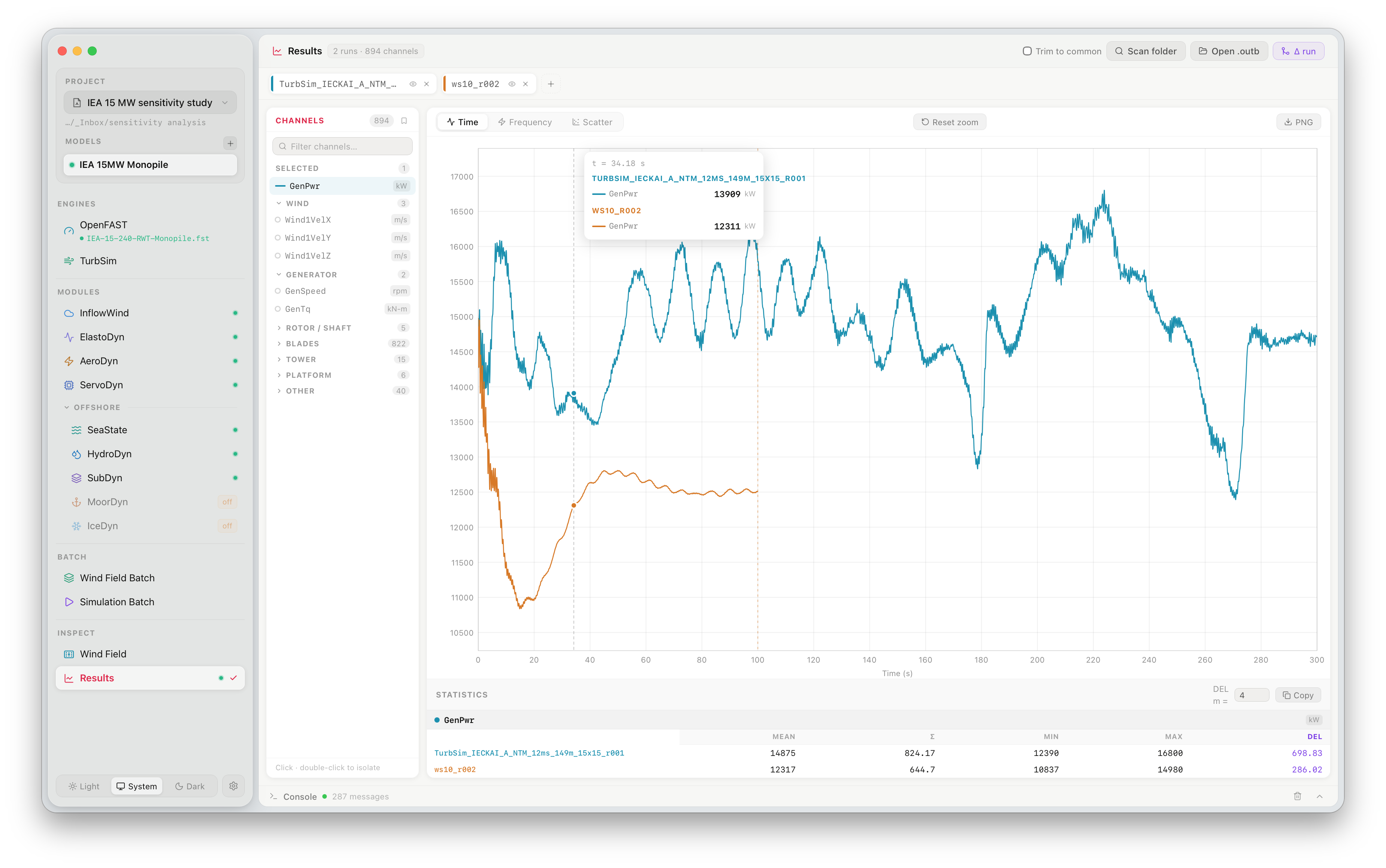
Analyse results

Load OpenFAST .outb output files, plot time series and spectra, compare cases side-by-side, and export to CSV — without leaving the app.

Features

Run OpenFAST the right way.

Everything you need to go from wind field to results — ready out of the box, with fewer errors along the way.

Bundled Reference Turbines

Includes NREL 5 MW, IEA 10 MW, 15 MW, and 22 MW reference turbine models. Start a simulation in seconds — no manual file setup required.

Fewer Setup Errors

Structured input forms validate parameters before a run starts. Bundled binaries are version-matched — no PATH configuration, no compatibility issues between OpenFAST and TurbSim.

Native on macOS & Windows

A lean native binary with bundled OpenFAST and TurbSim. Nothing to install separately — just download and run.

Advanced Turbulence Parameters

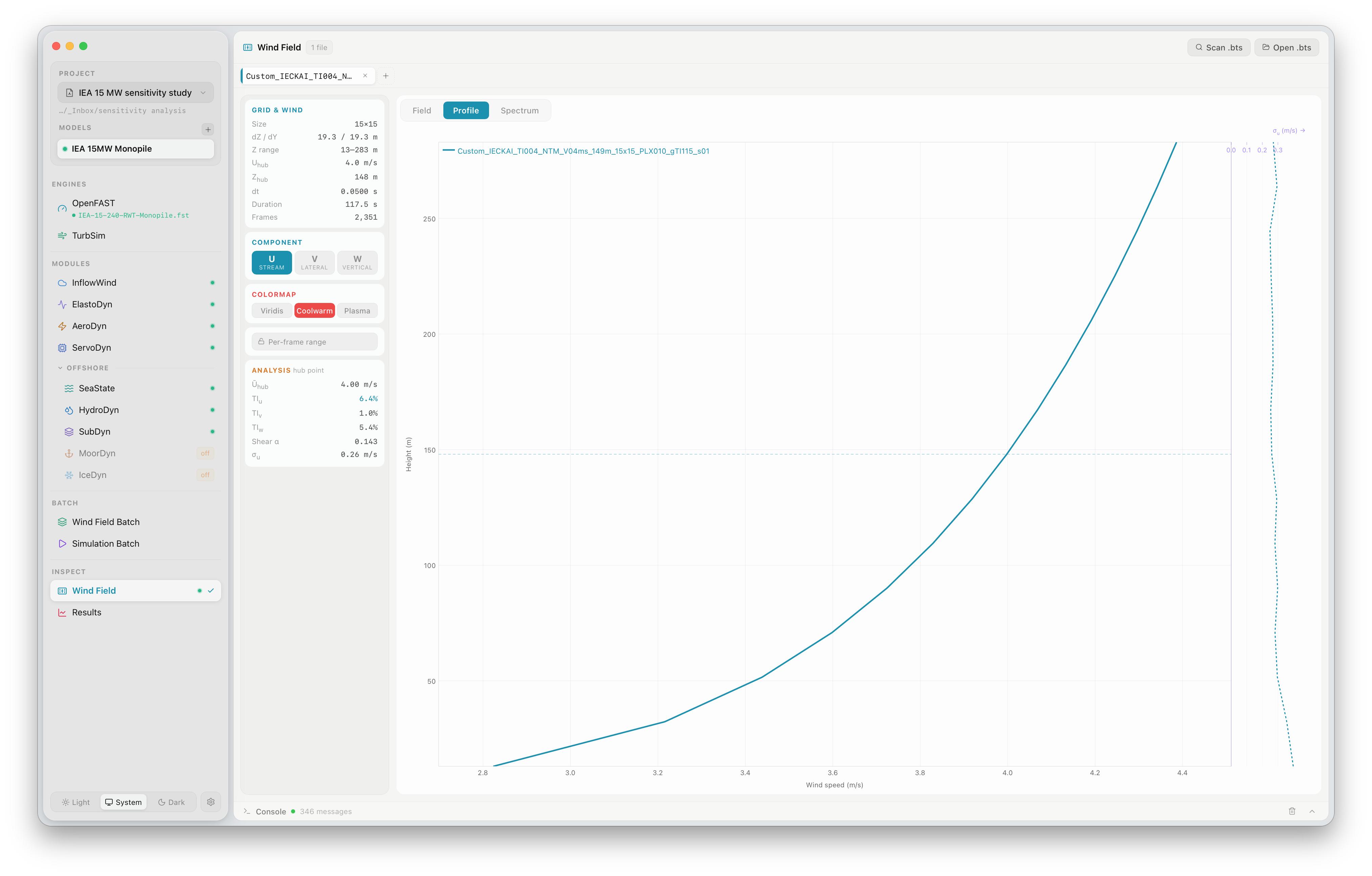
Supports gradient turbulence intensity (gTI) — a vertical σu profile across the rotor disk for more realistic atmospheric boundary layers. Learn more →

Appearance

Light and dark, both at home.

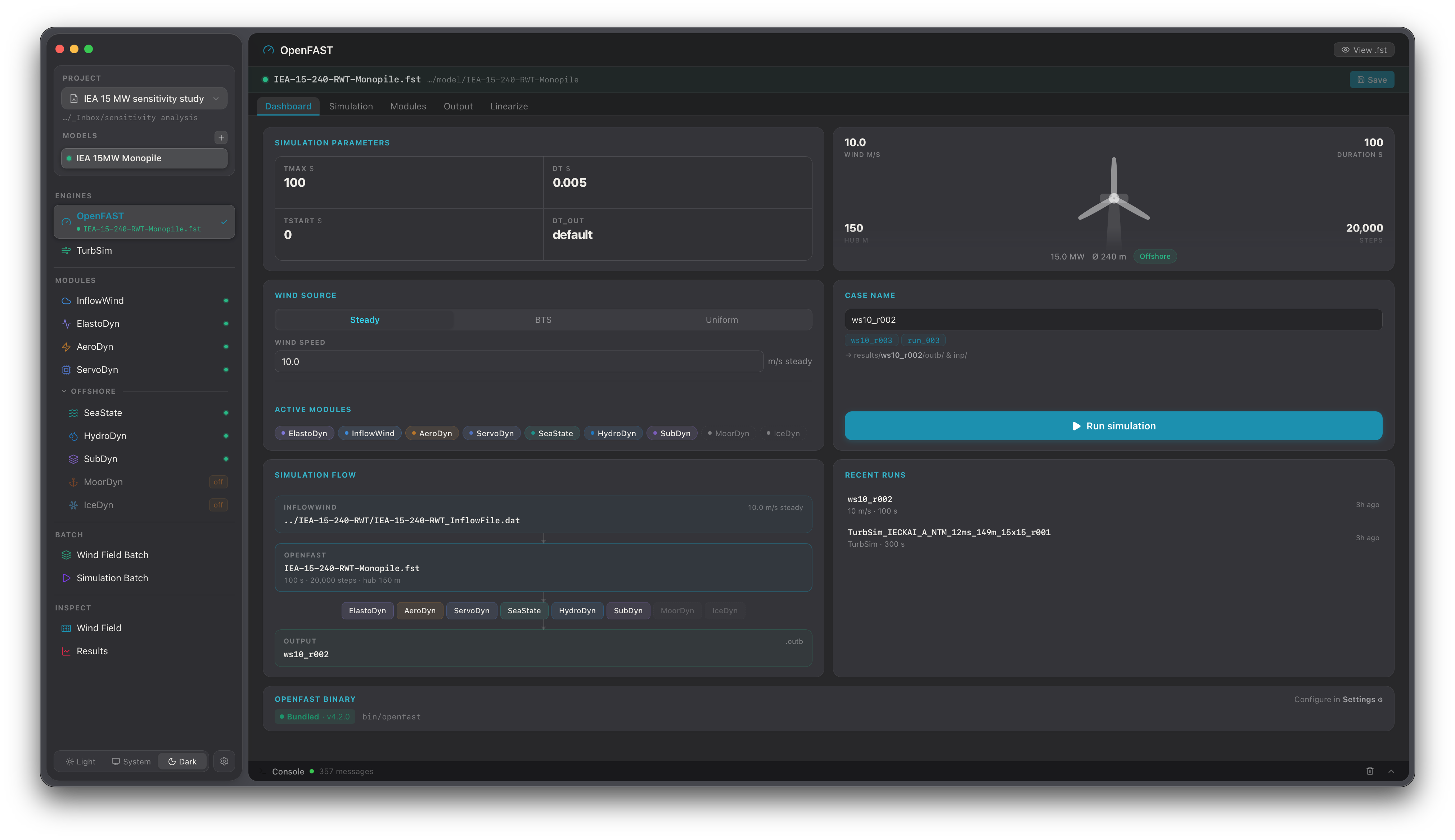
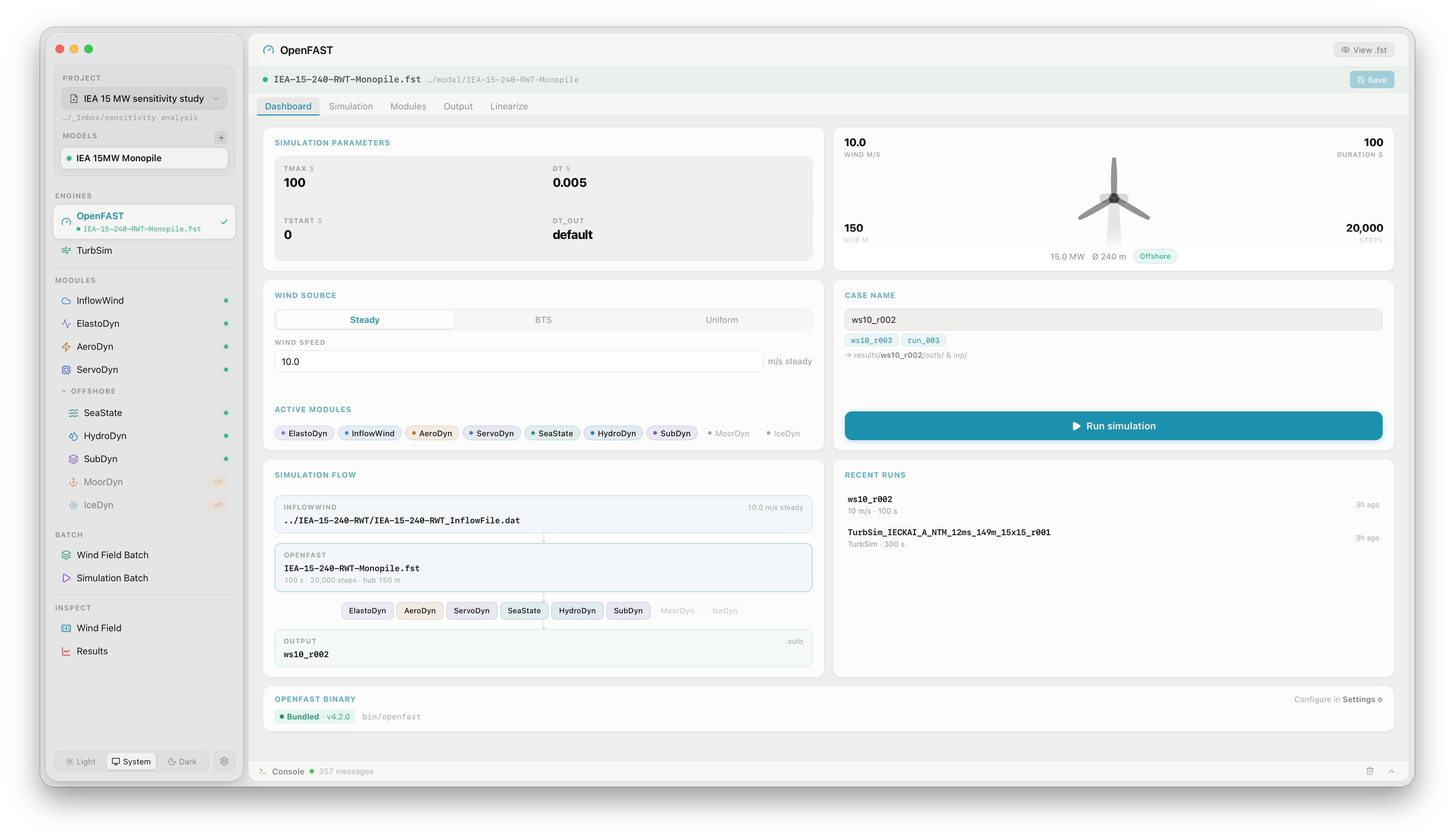
FlowUrja Studio dark mode FlowUrja Studio light mode
Light Dark
Cite

Using FlowUrja Studio in research?

A companion paper is under preparation for journal publication. Use the placeholder below and update it once the paper is published.

@article{kalimullah2026flowurja, title = {FlowUrja Studio: A desktop environment for managing {OpenFAST}--{TurbSim} wind turbine simulation workflows}, author = {Kalimullah, Nur M.M. and Fitzgerald, Breiffni}, journal = {Journal}, year = {2026}, note = {Manuscript under preparation} }

Questions, bug reports, or feature ideas? Contact the developer, Dr. Nur Md. Mussa Kalimullah, directly at [email protected].